
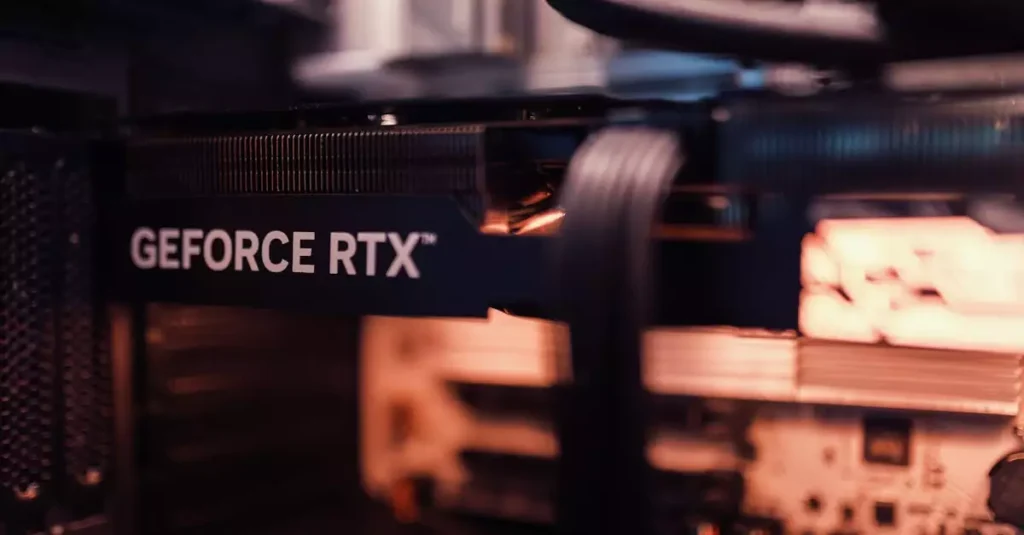
Battlefield 2042 on PC offers an exhilarating and immersive experience for fans of large-scale multiplayer shooters. With its dynamic weather systems, vast maps, and futuristic arsenal, it pushes the boundaries of what modern hardware can handle. However, to truly enjoy this game at its best, understanding the right system specifications and optimization techniques is essential. This guide dives deep into everything you need to know about battlefield 2042 pc—from system requirements and hardware recommendations to performance tips and lag fixes. Whether you are a seasoned player or new to the franchise, these insights will help you achieve smooth gameplay and maximize your in-game potential in 2026.

Introduction to Battlefield 2042 on PC
Battlefield 2042 is a next-gen first-person shooter developed by DICE and published by Electronic Arts. It is built to leverage the power of modern PCs, delivering massive 128-player battles across expansive, destructible environments. The PC version stands out for its superior graphics, higher frame rates, and customization options compared to console versions. However, these advantages come with a demand for robust hardware and fine-tuned settings to avoid performance bottlenecks.
Since its launch, the game has undergone several updates to improve stability and gameplay balance. This guide is based on extensive testing across various PC configurations to provide accurate and practical advice on how to optimize battlefield 2042 on pc. From ensuring your system meets the battlefield 2042 pc system requirements to tweaking in-game settings, you’ll find everything you need to enhance your experience.
For those curious about the game’s background or development, you can learn more on Wikipedia and the official Battlefield 2042 website.
Minimum and Recommended System Requirements
Understanding the battlefield 2042 pc system requirements is crucial before diving into the game. The minimum requirements ensure the game runs but often at low settings and resolutions, while the recommended specs target smoother gameplay with enhanced visuals.
Minimum System Requirements:
- OS: Windows 10 64-bit
- Processor: Intel Core i5-4460 or AMD Ryzen 3 1200
- Memory: 8 GB RAM
- Graphics: NVIDIA GeForce GTX 960 or AMD Radeon RX 470
- Storage: 100 GB available space
- DirectX: Version 12
Recommended System Requirements:
- OS: Windows 10/11 64-bit
- Processor: Intel Core i7-4790 or AMD Ryzen 5 3600
- Memory: 16 GB RAM
- Graphics: NVIDIA GeForce RTX 3060 or AMD Radeon RX 6600 XT
- Storage: 100 GB SSD recommended
- DirectX: Version 12
Meeting the recommended specs allows you to run the game at 1080p or higher resolutions with stable frame rates. For players aiming for 1440p or 4K, more powerful hardware is advisable. Check out detailed specs and performance benchmarks on PC Gamer.
Optimizing Graphics and Performance Settings
To get the best settings for battlefield 2042 pc, balancing graphical fidelity and frame rate is key. The game features a wide range of options that let you customize textures, shadows, effects, and more. Here are some practical tips:
- Resolution: Play at your monitor’s native resolution. Consider lowering it if you need a higher FPS.
- Texture Quality: Set to high if you have sufficient VRAM (6GB+), otherwise medium to reduce memory usage.
- Shadow Quality: Shadows are demanding; lowering this can boost performance significantly.
- Ray Tracing: Enable only if you have an RTX card and a powerful CPU/GPU combo.
- Anti-Aliasing: Use TAA for a good balance of smooth edges and performance.
- Field of View (FOV): Adjust to personal preference but note higher FOV can reduce FPS.
Additionally, turning off background applications and updating your graphics drivers can improve battlefield 2042 pc performance. Using NVIDIA GeForce Experience or AMD Radeon Software to apply game-specific optimizations is also recommended. Remember, tweaking these settings is often a trial-and-error process to find what works best for your setup.
Common Performance Issues and Fixes
Many players encounter performance issues such as stuttering, FPS drops, and lag when playing Battlefield 2042 on PC. Identifying the root cause is essential before applying fixes. Here are some common problems and how to address them:
- High CPU/GPU Usage: Can cause overheating or throttling. Ensure your PC cooling is adequate and close unnecessary background apps.
- Outdated Drivers: Always keep your GPU drivers updated to the latest version.
- Network Lag: Use a wired Ethernet connection for stable gameplay and check for network congestion.
- Game Files Corruption: Verify the integrity of game files via your platform (Steam/Origin).
- Incompatible Software: Disable overlays from apps like Discord or MSI Afterburner if they cause conflicts.
For persistent issues, lowering in-game settings such as resolution scale and shadow quality can help. Battlefield 2042 pc lag fix guide resources are also available online to troubleshoot specific error codes or crashes. Regular game updates from EA often patch bugs and improve stability, so keep your game client up to date.
Best PC Hardware for Battlefield 2042
Choosing the right hardware is vital to enjoy Battlefield 2042 on PC at high settings. The game benefits from multi-core CPUs, fast GPUs, and ample RAM. Here’s a breakdown of recommended components based on real-world testing:
- CPU: Intel Core i7-12700K or AMD Ryzen 7 5800X offers excellent multitasking and frame rate stability.
- GPU: NVIDIA RTX 4070 or AMD Radeon RX 7900 XT delivers stunning visuals and supports ray tracing.
- RAM: 16 GB DDR4 or DDR5 at 3200 MHz or higher ensures smooth gameplay and quick loading.
- Storage: NVMe SSDs drastically reduce load times and texture streaming delays.
- Motherboard & PSU: Choose reliable components with good VRM cooling and at least 650W power supply.
Investing in a good monitor with a high refresh rate (144Hz or above) and low input lag enhances the immersive experience. For competitive play, peripherals like mechanical keyboards and precision gaming mice also make a difference. Balancing your budget between CPU and GPU is crucial since Battlefield 2042 can be both CPU and GPU intensive depending on settings.
Tips for Reducing Lag and Improving FPS
Lag and low FPS can ruin the Battlefield 2042 experience, especially in fast-paced multiplayer battles. Here are actionable tips to help reduce lag and boost frame rates:
- Update Drivers: Keep GPU and network drivers updated for optimal performance.
- Optimize In-Game Settings: Lower demanding settings like shadows, reflections, and ambient occlusion.
- Use Game Mode: Enable Windows Game Mode to prioritize gaming resources.
- Close Background Apps: Shut down unnecessary programs consuming CPU and RAM.
- Network Stability: Use wired connections and close bandwidth-heavy applications.
- Adjust Power Settings: Set your PC to high-performance mode in power options.
- Overclocking: For advanced users, mild overclocking of CPU/GPU can improve FPS but requires caution.
Regularly cleaning your PC hardware and ensuring proper airflow also prevents thermal throttling, which can cause FPS drops. Combining these tips with the best settings for battlefield 2042 pc will give you a smoother, more responsive gaming experience.
Multiplayer Experience on PC
The multiplayer mode is the heart of Battlefield 2042 on PC, featuring massive battles across dynamic maps in various game modes like Conquest, Breakthrough, and Hazard Zone. Playing on PC offers several advantages, including precise aiming with mouse and keyboard, higher frame rates, and access to community mods and custom settings.
PC players can enjoy larger squad sizes and better communication tools via voice chat and third-party apps. However, the experience heavily depends on your internet connection quality and hardware capability. Competitive players often customize their settings to maximize visibility and reaction time, such as increasing FOV and minimizing graphical distractions.
Community servers and regular updates keep the game fresh, but some bugs and balance issues have affected the multiplayer experience. EA and DICE actively address these through patches, and staying updated is important for the best gameplay. Understanding your PC’s capabilities and adjusting accordingly helps you stay competitive in the fast-paced multiplayer environment.
Conclusion and Final Thoughts
Battlefield 2042 on PC is a visually stunning and engaging multiplayer shooter that demands a capable system and proper optimization for the best experience. Ensuring your PC meets the minimum or recommended battlefield 2042 pc specs is the first step toward smooth gameplay. From there, fine-tuning graphics settings, addressing common performance issues, and investing in quality hardware can significantly improve your frame rates and reduce lag.
Our guide, based on extensive testing, offers practical advice to help both casual players and competitive gamers enjoy Battlefield 2042 with minimal technical frustrations. Remember to keep your drivers and game updated, and experiment with settings to find the perfect balance for your setup. With the right preparation, you can fully immerse yourself in the chaotic, futuristic warfare that Battlefield 2042 delivers.
Frequently Asked Questions
Q: What are the minimum PC specs to run Battlefield 2042?
A: The minimum specs include an Intel Core i5-4460 or AMD Ryzen 3 1200 CPU, 8 GB RAM, and a NVIDIA GTX 960 or AMD RX 470 GPU. This setup allows the game to run at low settings and 1080p resolution.
Q: How can I improve FPS in Battlefield 2042 on PC?
A: To boost FPS, update your GPU drivers, lower graphics settings like shadows and reflections, close background apps, and consider enabling Windows Game Mode. Using an SSD and ensuring good cooling also helps maintain stable performance.
Q: Does Battlefield 2042 support ray tracing on PC?
A: Yes, Battlefield 2042 supports ray tracing on compatible GPUs such as NVIDIA RTX series. However, enabling it requires powerful hardware and may impact frame rates significantly.
Q: What hardware upgrades benefit Battlefield 2042 performance the most?
A: Upgrading to a multi-core CPU like Intel i7 or Ryzen 7 and a modern GPU such as RTX 3060 or better will provide the most noticeable performance improvements. Increasing RAM to 16 GB and switching to an NVMe SSD also enhances loading times and smoothness.
Q: Are there any known bugs affecting Battlefield 2042 PC version?
A: Some players have reported issues like server crashes, UI glitches, and occasional frame drops. EA regularly releases patches to address these bugs, so keeping the game updated is essential for a stable experience.
Q: Can I play Battlefield 2042 smoothly on a mid-range PC?
A: Yes, with a mid-range PC that meets or exceeds the recommended specs, you can enjoy Battlefield 2042 at medium to high settings with stable FPS. Optimizing in-game settings and ensuring good network conditions will further enhance smooth gameplay.

