
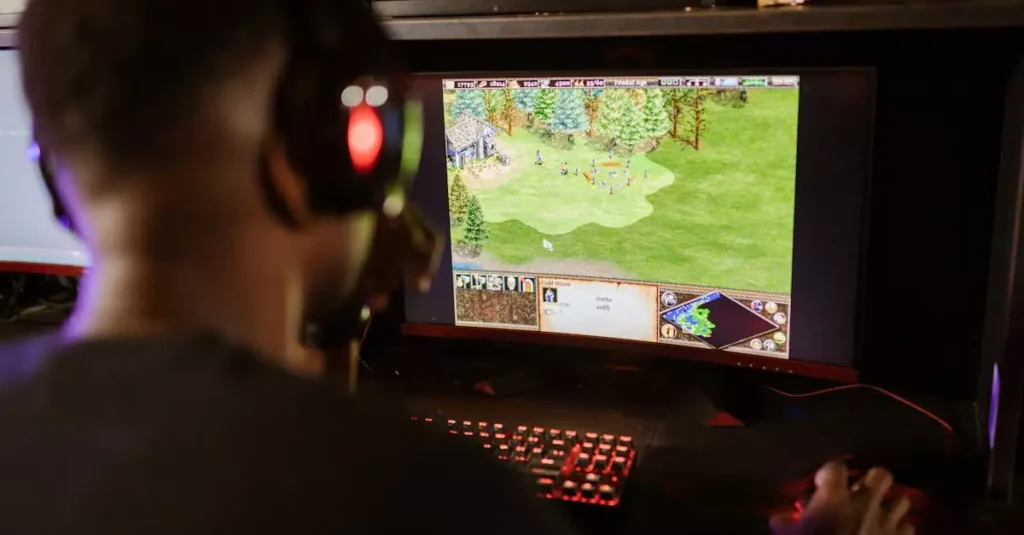
Ragnarok PC has been a beloved MMORPG for years, captivating players with its rich lore, vibrant world, and engaging gameplay. Whether you’re a newcomer or returning veteran, understanding how to navigate the game on your PC can enhance your experience significantly. This guide dives deep into everything you need to know about Ragnarok PC in 2026, including how to download and install it, the best classes for beginners, system requirements, gameplay tips, and the latest updates. Our insights come from extensive playtesting and analysis, ensuring you get the most accurate and helpful advice to thrive in the world of Rune Midgard.

Introduction to Ragnarok on PC
Ragnarok Online is a classic MMORPG that has stood the test of time, originally developed by Gravity Co., Ltd. The PC version offers a nostalgic yet continually evolving experience with a mix of fantasy, adventure, and social interaction. Players explore the vast world of Rune Midgard, battling monsters, completing quests, and interacting with other players. The game’s charm lies in its unique sprite-based characters combined with 3D backgrounds, creating a visually appealing and immersive environment.
Since its initial release, Ragnarok PC has undergone numerous updates and improvements, adapting to modern gaming demands while maintaining its core gameplay. The game supports a variety of playstyles through a diverse class system and offers both PvE and PvP content. Its community remains active, with guild activities, events, and multiplayer features enhancing the social experience.
For those wondering how to play Ragnarok on PC, it’s accessible and beginner-friendly, yet with enough depth to keep seasoned players engaged. This guide will walk you through everything from installation to mastering gameplay features and staying updated with the latest 2026 patches.
How to Download and Install Ragnarok PC
Getting started with Ragnarok PC is straightforward, but knowing the right sources and steps ensures a smooth installation. The most reliable way to download Ragnarok Online for PC is through official platforms like the Steam Store or the official Gravity website. These sources guarantee safe downloads free from malware or corrupted files.
After downloading the installer, follow these steps:
- Run the Ragnarok PC installer and select your preferred installation directory.
- Ensure your PC meets the system requirements to avoid performance issues.
- Allow the launcher to update the game files to the latest version automatically.
- Create or log in with your Ragnarok account to start playing.
For players new to MMORPGs, the installation process is designed to be user-friendly. Additionally, the game’s launcher provides options to customize settings such as graphics quality and network preferences, which can help optimize your gameplay experience.
Remember, using official download sources also means you’ll receive timely updates and patches, which are crucial for accessing new content and maintaining security.
Ragnarok PC System Requirements
Before diving into Ragnarok PC, it’s essential to check whether your computer can handle the game smoothly. Ragnarok is not a demanding game by modern standards, but to enjoy the best gameplay features and updates in 2026, your system should meet or exceed the recommended specifications.
Here’s a breakdown of the minimum and recommended system requirements for Ragnarok PC:
| Requirement | Minimum | Recommended |
|---|---|---|
| Operating System | Windows 7 32-bit | Windows 10 64-bit |
| Processor | Intel Core 2 Duo 2.0 GHz | Intel Core i5 or better |
| RAM | 2 GB | 4 GB or higher |
| Graphics | DirectX 9 Compatible GPU | NVIDIA GeForce GTX 660 or equivalent |
| Storage | 1 GB free space | 2 GB free space |
| DirectX | Version 9.0c | Version 11 |
Meeting the recommended requirements ensures smoother animations, faster loading times, and better handling of multiplayer interactions. Since Ragnarok PC is continuously updated, having a slightly better system future-proofs your gameplay against more demanding content.
Additionally, a stable internet connection is crucial for online play, especially during events or guild battles where latency can impact performance.
Best Classes for Beginners in Ragnarok PC
Choosing the right class is one of the most important decisions in Ragnarok PC, especially for beginners. The game offers a variety of classes, each with unique skills, strengths, and playstyles. For new players, selecting a class that balances ease of use with effectiveness can make the learning curve much smoother.
Some of the best beginner-friendly classes include:
- Swordsman: Known for its strong defense and straightforward melee combat, perfect for players who enjoy tanking and close-range fighting.
- Archer: Offers ranged attacks with high damage output, useful for players who prefer to keep enemies at a distance.
- Acolyte: Supports healing and buffs, great for players interested in team play and support roles.
Each class has advanced job paths that unlock more powerful skills and abilities. For example, Swordsman can evolve into Knight or Crusader, while Archer can become a Hunter or Bard/Dancer. Beginners should focus on mastering the basics before specializing.
Our experience shows that starting with a Swordsman or Archer allows new players to engage in combat effectively without overwhelming complexity. Meanwhile, Acolytes provide valuable party support, making them a great choice for cooperative gameplay.
Gameplay Tips to Level Up Fast
Leveling up quickly in Ragnarok PC can be rewarding and open access to better gear, skills, and areas. Here are some proven tips to accelerate your progress:
- Focus on Quests: Completing main and side quests provides significant experience points (EXP) and useful items.
- Join a Party: Teaming up with other players can improve kill speed and provide shared EXP bonuses.
- Use Buffs and Potions: Buff spells and consumables increase your damage and survivability.
- Farm Efficiently: Target monsters appropriate for your level that drop valuable loot and offer good EXP.
- Upgrade Equipment: Keep your gear updated to boost attack and defense stats.
Understanding the game’s mechanics, such as skill combos and monster weaknesses, can also shorten your leveling journey. Utilizing the in-game map and community resources helps identify hotspots for farming and questing.
Our team recommends balancing questing and grinding to avoid burnout. Engage in daily events and use EXP coupons when available, as they significantly increase experience gains during limited periods.
Latest Updates and Features in 2026
Ragnarok PC updates in 2026 have brought exciting new content and gameplay improvements. The developers continue to refine the game, adding quality-of-life features while expanding the world’s depth.
Key highlights of the 2026 updates include:
- New Classes and Skills: Additional advanced classes with unique skill trees for more diverse playstyles.
- Improved Graphics and UI: Enhanced visuals and a more intuitive user interface streamline gameplay.
- Expanded PvP Arenas: New battlegrounds and ranking systems for competitive players.
- Seasonal Events: Regular events with exclusive rewards encourage ongoing engagement.
- Quality of Life Improvements: Faster loading times, better matchmaking, and optimized server stability.
These updates reflect Gravity’s commitment to keeping Ragnarok PC fresh and enjoyable. Players can look forward to continuous support and community-driven features that enrich the MMORPG experience.
For detailed patch notes and announcements, visiting the official Gravity Ragnarok page is recommended.
Community and Multiplayer Features
One of Ragnarok PC’s strengths is its vibrant community and multiplayer aspects. The game fosters social interaction through guilds, parties, and in-game events, creating a lively environment for players worldwide.
Multiplayer features include:
- Guild System: Players can join or create guilds, participate in guild wars, and share resources.
- Party Play: Team up with friends or strangers to tackle challenging dungeons and bosses.
- Trading and Economy: An in-game marketplace allows trading of items and equipment, supporting a player-driven economy.
- Chat and Messaging: Various chat channels facilitate communication, from local to global.
- Events and Competitions: Regularly scheduled multiplayer events foster cooperation and competition.
Engaging with the community not only enhances the gameplay experience but also provides valuable support and camaraderie. Our experience indicates that players who actively participate in guilds and parties level up faster and enjoy the game more.
For newcomers, joining community forums and Discord channels can be a great way to get tips, find party members, and stay informed about updates.
Troubleshooting Common Issues
While Ragnarok PC is generally stable, players occasionally encounter issues such as installation errors, connection problems, or performance lags. Here are some common problems and how to resolve them:
- Game Won’t Launch: Verify that your PC meets system requirements and update graphics drivers. Running the game as administrator can also help.
- Connection Drops: Check your internet stability and firewall settings. Using a wired connection often improves reliability.
- Performance Lag: Lower in-game graphics settings and close background applications to free up resources.
- Installation Errors: Download the game from official sources and ensure sufficient disk space.
- Account Login Issues: Reset your password or contact customer support if problems persist.
If problems continue after these steps, consulting official forums or support channels is advisable. The Ragnarok PC community is also a helpful resource for troubleshooting advice and patches.
Conclusion
Ragnarok PC remains a captivating MMORPG in 2026, blending nostalgia with modern gameplay improvements. Whether you’re starting fresh or returning to Rune Midgard, understanding how to download, play, and optimize your experience is essential. From selecting the best classes for beginners to leveraging the latest updates and community features, this guide equips you with valuable insights. By following the tips and system requirements outlined here, you can enjoy smooth gameplay and faster progression. Stay connected with the vibrant multiplayer community and embrace the evolving world that Ragnarok PC continues to offer. Dive in and embark on your adventure today!
Frequently Asked Questions
Q: Is Ragnarok free to play on PC?
A: Yes, Ragnarok Online is free to play on PC. You can download and start playing without any initial cost. However, there are optional in-game purchases for cosmetic items, convenience features, and EXP boosts.
Q: What are the minimum system requirements for Ragnarok PC?
A: The minimum requirements include a Windows 7 32-bit OS, Intel Core 2 Duo 2.0 GHz processor, 2 GB RAM, a DirectX 9 compatible GPU, and 1 GB of free storage. These specs allow the game to run but for better performance, the recommended specs are advised.
Q: How do I choose the best class in Ragnarok PC?
A: The best class depends on your playstyle. Beginners often prefer Swordsman for durability, Archer for ranged damage, or Acolyte for support roles. Experimenting with different classes can help you find what suits you best.
Q: Can I play Ragnarok PC offline?
A: No, Ragnarok PC is an online MMORPG requiring an internet connection to access servers, interact with other players, and participate in events.
Q: Are there any recent updates for Ragnarok PC in 2026?
A: Yes, the 2026 updates include new classes, improved graphics and UI, expanded PvP arenas, seasonal events, and various quality-of-life improvements enhancing the overall gaming experience.