
Honkai Impact 3rd has become a beloved action RPG, captivating gamers worldwide with its dynamic combat and rich storyline. For those who prefer the precision and comfort of a PC, this guide covers everything you need to know about playing Honkai Impact 3rd on your computer in 2026. Whether you’re a newcomer or looking to optimize your experience, this comprehensive walkthrough will help you with the download process, system requirements, performance tweaks, and more. Dive into expert tips and discover how to get the most out of Honkai Impact 3rd on PC for smooth and immersive gameplay.
What is Honkai Impact 3rd?
Honkai Impact 3rd is a fast-paced, anime-inspired action RPG developed by miHoYo. It features a compelling story set in a world devastated by mysterious creatures called the Honkai. Players control a team of Valkyries, each with unique abilities and combat styles, battling enemies across various missions and events. The game combines fluid combat mechanics with deep character customization, making it a favorite among fans of both action and role-playing genres.
Originally launched for mobile platforms, Honkai Impact 3rd has expanded to PC, allowing players to enjoy enhanced graphics and controls. The PC version offers a more immersive experience with higher frame rates and better visual fidelity. The game’s story-driven campaigns, multiplayer modes, and frequent updates keep the community engaged and continuously expanding.
For more detailed background, you can visit the official Honkai Impact 3rd page or check out the Wikipedia entry for an in-depth overview of its development and gameplay features.
How to Download and Install Honkai Impact 3rd on PC
Downloading and installing Honkai Impact 3rd on PC is straightforward when following the official steps. First, visit the official miHoYo website or the game’s dedicated page to ensure you’re getting the latest and safest version. The installation package is relatively large, so a stable internet connection is recommended.
- Navigate to the official Honkai Impact 3rd website.
- Click on the PC download option to get the installer.
- Run the installer and follow the on-screen instructions.
- Once installed, launch the game and let it update to the latest version.
For those wondering about the honkai impact 3rd pc download guide, this process ensures you avoid third-party risks and get optimal performance. Additionally, the game launcher manages updates automatically, so you won’t have to manually download patches or new content.
If you encounter any issues during installation, double-check your internet connection and ensure your PC meets the required specifications, which we’ll cover in the next section.
Minimum and Recommended System Requirements
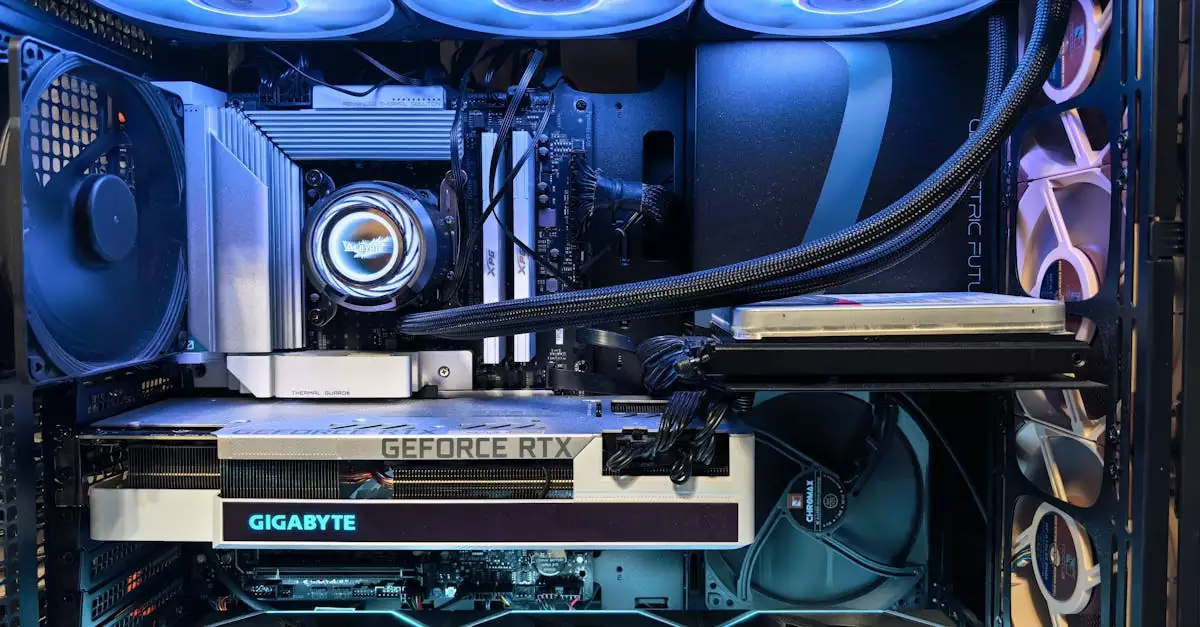
Understanding the honkai impact 3rd pc system requirements is crucial for a smooth gaming experience. The game is optimized to run on a wide range of hardware, but meeting at least the minimum requirements is necessary to avoid lag and crashes.
| Requirement | Minimum | Recommended |
|---|---|---|
| OS | Windows 7 (64-bit) | Windows 10 (64-bit) |
| Processor | Intel Core i3 or equivalent | Intel Core i5 or better |
| RAM | 4 GB | 8 GB |
| Graphics | NVIDIA GeForce GTX 660 or equivalent | NVIDIA GeForce GTX 1060 or better |
| Storage | 15 GB available space | 15 GB available space |
| DirectX | Version 11 | Version 12 |
Meeting the recommended specs allows you to enjoy higher resolution textures, smoother frame rates, and better overall visuals. Players with lower-end PCs might experience reduced graphics quality but can still enjoy the core gameplay.
To check your PC’s compatibility, use built-in tools like DirectX Diagnostic Tool or third-party programs. For more detailed optimization tips, visit NVIDIA’s guide on Honkai Impact 3rd PC optimization.
Optimizing Game Settings for Best Performance
Optimizing your game settings can significantly enhance your Honkai Impact 3rd PC experience. Adjusting graphics and performance options ensures you get the best balance between visual quality and smooth gameplay, especially important for competitive or lengthy sessions.
- Resolution: Set it to your monitor’s native resolution for the sharpest image, or lower it slightly if you need better FPS.
- Graphics Quality: Choose between Low, Medium, or High based on your system’s capability.
- Frame Rate Limit: Cap it to 60 FPS for most setups; gamers with high refresh rate monitors may increase this.
- Anti-Aliasing: Reduce or disable if experiencing lag; it smooths edges but is resource-intensive.
- Shadow and Particle Effects: Lower these settings to improve performance on mid-range PCs.
For players interested in honkai impact 3rd pc performance optimization, disabling unnecessary background applications and updating your GPU drivers can also contribute to better frame rates and fewer crashes.
Remember to save your settings and restart the game to apply changes. Experimenting with different configurations can help you find the perfect setup tailored to your hardware.
Using Emulators to Play Honkai Impact 3rd on PC
Some players opt to use Android emulators to run Honkai Impact 3rd on PC, especially if they want to sync with their mobile accounts or avoid the official PC client. Popular emulators like BlueStacks or NoxPlayer provide an alternative way to play, but with some considerations.
Emulators can offer flexibility, but they may not be as optimized as the native PC version, potentially causing performance hiccups or input lag. If you’re exploring honkai impact 3rd pc emulator tips, ensure your emulator is updated and configured to allocate sufficient CPU and RAM resources.
- Use the latest version of your preferred emulator.
- Enable virtualization in your BIOS for better performance.
- Adjust emulator settings to prioritize gaming performance.
- Map controls properly to avoid input conflicts.
While emulators can be a useful option, the official PC client generally provides better graphics and stability. We recommend trying the native client first for the best experience.
Controller Setup and Customization
Playing Honkai Impact 3rd with a controller on PC can enhance comfort and precision, especially for players accustomed to gamepads. The game supports various controllers, including Xbox, PlayStation, and generic USB gamepads.
To set up your controller, simply connect it to your PC via USB or Bluetooth. The game should automatically detect the device, but you can customize button mappings in the settings menu for a tailored experience. For those wondering about honkai impact 3rd pc controller setup, here are some tips:
- Check for driver updates to ensure compatibility.
- Use the in-game configuration to remap buttons for optimal control.
- Adjust sensitivity settings for analog sticks to improve aiming and movement.
- Test your controller in the game’s training or practice mode before jumping into missions.
Using a controller can provide a more relaxed playstyle, especially during extended sessions, and many players find it easier to chain combos and dodge attacks with precise thumbstick control.
Troubleshooting Common PC Issues
While Honkai Impact 3rd generally runs smoothly on compatible PCs, some users might encounter issues such as crashes, lag, or connectivity problems. Here are common troubleshooting steps to resolve these:
- Game Crashes: Update your graphics drivers and ensure your OS is fully patched.
- Low Frame Rates: Lower graphics settings and close background applications.
- Launcher Errors: Run the launcher as administrator and check your firewall settings.
- Login Problems: Verify your account credentials and check server status online.
- Controller Not Working: Reconnect the controller and update its drivers.
For persistent issues, visiting the official forums or support pages can provide additional solutions. Many problems arise from outdated software or conflicting applications, so keeping your system clean and updated is key.
Tips for Smooth Gameplay on Low-End PCs
Not everyone has access to high-end gaming rigs, but you can still enjoy Honkai Impact 3rd on lower-spec PCs by following some optimization tips. Here’s how to improve your experience without upgrading your hardware:
- Set graphics quality to the lowest or medium settings.
- Reduce resolution to 720p or lower.
- Disable shadows, anti-aliasing, and other resource-heavy effects.
- Close all unnecessary background programs and processes.
- Use game mode or performance mode if your OS supports it.
- Adjust power settings to prioritize performance over energy saving.
Additionally, regularly clean your PC from dust and ensure proper cooling to prevent thermal throttling, which can degrade performance during long gaming sessions. These steps will help maintain stable frame rates and reduce stuttering.
Conclusion
Honkai Impact 3rd on PC offers an engaging and visually stunning action RPG experience that benefits from the power and flexibility of a computer setup. By understanding the installation process, meeting system requirements, optimizing settings, and utilizing controllers or emulators effectively, players can enjoy smooth and immersive gameplay. Whether you have a high-end rig or a modest PC, applying the right tips and troubleshooting techniques ensures you get the most out of this exciting game. With continual updates and a passionate community, Honkai Impact 3rd remains a top choice for gamers seeking thrilling combat and a rich storyline.
Frequently Asked Questions
Q: Can I play Honkai Impact 3rd on any PC?
A: While Honkai Impact 3rd can run on many PCs, it requires meeting minimum system requirements for smooth performance. Older or low-spec PCs may struggle unless settings are adjusted for lower graphics quality.
Q: What are the minimum system requirements for Honkai Impact 3rd?
A: The minimum requirements include Windows 7 64-bit, Intel Core i3 processor, 4 GB RAM, and an NVIDIA GeForce GTX 660 or equivalent GPU, along with 15 GB of free storage.
Q: Is an emulator necessary to play Honkai Impact 3rd on PC?
A: No, the official PC client is available and recommended for the best experience. Emulators are an alternative but may not offer the same performance or stability.
Q: How do I improve the game’s performance on my PC?
A: Adjust graphics settings to lower levels, update your GPU drivers, close background apps, and ensure your PC meets the recommended specifications to optimize performance.
Q: Can I use a controller to play Honkai Impact 3rd on PC?
A: Yes, Honkai Impact 3rd supports various controllers including Xbox and PlayStation gamepads. Connect your controller and customize button mappings in the game settings for optimal control.

