
Standoff 2 has rapidly gained popularity as a thrilling first-person shooter, primarily available on mobile platforms. However, many gamers seek the enhanced experience of playing on a larger screen with the precision of keyboard and mouse controls. This guide will walk you through the complete process of the standoff 2 download pc experience, covering everything from system requirements to installation methods and optimization tips. Whether you have a high-end gaming rig or a low-end PC, we provide reliable insights to help you enjoy Standoff 2 seamlessly on your desktop. Dive in to discover the best ways to install and run this action-packed game on Windows in 2026.
What is Standoff 2?
Standoff 2 is a multiplayer first-person shooter (FPS) game developed by Axlebolt, known for its fast-paced gameplay and tactical combat. It features various game modes such as Deathmatch, Defuse the Bomb, and Arms Race, offering diverse experiences for players. The game is praised for its smooth controls, competitive ranking system, and a wide arsenal of weapons, making it a favorite among FPS enthusiasts on mobile devices.
Originally designed for Android and iOS platforms, Standoff 2 has gathered millions of players worldwide. Its realistic maps and responsive mechanics have drawn comparisons to popular PC shooters, which is why gamers often look for ways to enjoy it on their PCs. The community around Standoff 2 is active, frequently organizing tournaments and sharing strategies to enhance the gameplay experience.
For more detailed information about the game’s background and development, you can visit Standoff 2 Wikipedia.
Can You Play Standoff 2 on PC?
While Standoff 2 is primarily a mobile game, playing it on PC is entirely possible and increasingly popular. However, there is no official native PC version or client released by Axlebolt as of 2026. This means that to enjoy Standoff 2 on your desktop, you need to rely on Android emulators or specialized software that allows mobile games to run on Windows.
Many players prefer the PC environment due to the advantages of a larger display, better hardware performance, and more precise controls like keyboard and mouse. This setup enhances aiming accuracy and reaction times, which are crucial in competitive FPS games.
It’s important to note that while third-party emulators enable the game on PC, users should download these from trusted sources to avoid security risks. Moreover, some emulators offer built-in optimization features specifically designed for games like Standoff 2, helping to reduce input lag and improve frame rates.
To start your journey, you can explore the official Standoff 2 app on the Google Play Store here: Standoff 2 on Google Play.
System Requirements for Standoff 2 on PC
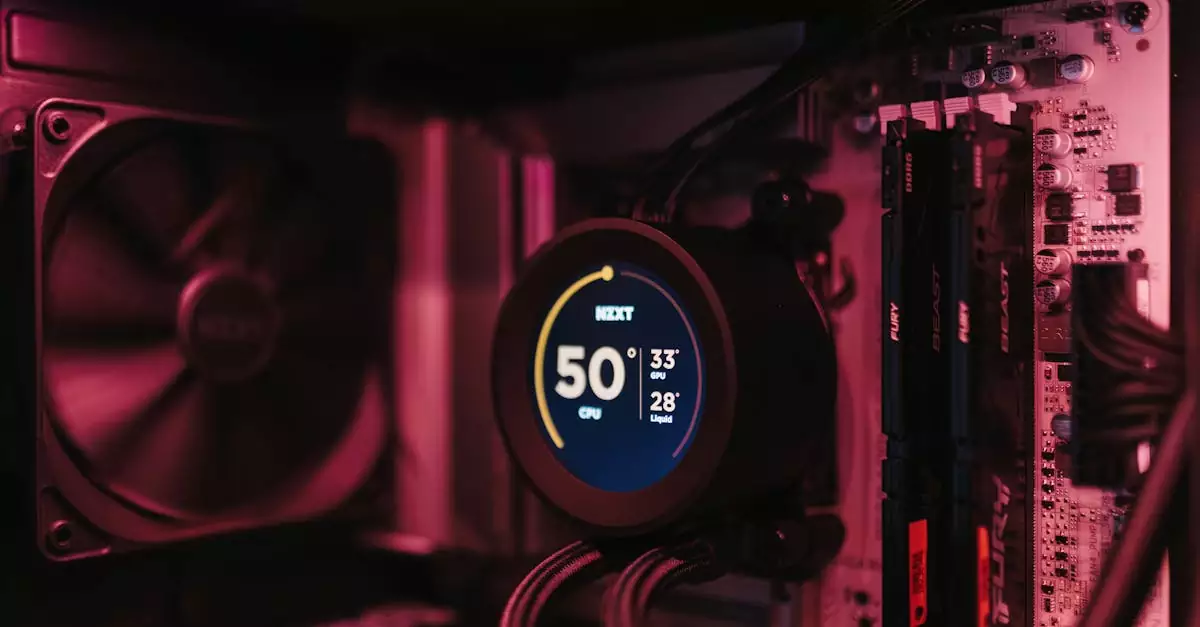
Before proceeding with the standoff 2 pc download free process, it’s essential to verify that your system meets the necessary requirements to run the game smoothly. Since Standoff 2 runs via emulators on PC, the requirements depend both on the emulator and your PC hardware.
Here are the general minimum and recommended specifications to ensure optimal gameplay:
| Specification | Minimum | Recommended |
|---|---|---|
| Operating System | Windows 7 64-bit | Windows 10/11 64-bit |
| Processor | Intel Core i3 or equivalent | Intel Core i5 or better |
| RAM | 4 GB | 8 GB or more |
| Graphics | Integrated GPU (Intel HD 4000) | NVIDIA GeForce GTX 660 or equivalent |
| Storage | At least 2 GB free space | 5 GB free space |
| Internet | Stable broadband connection | Stable broadband connection |
For players with low-end PCs, there are emulator configurations and settings modifications that can help reduce resource consumption. Adjusting graphics settings within the emulator and the game can significantly improve performance. Understanding these requirements helps avoid frustrating gameplay issues such as lag, crashes, or long loading times.
Always check the emulator’s official site for their recommended specs, as some emulators like BlueStacks or LDPlayer may have slightly different requirements.
Step-by-Step Guide to Download Standoff 2 on PC
Downloading and installing Standoff 2 on your PC involves a few straightforward steps, primarily because you will be using an Android emulator to run the game. Here’s a simple step-by-step guide to help you get started:
- Choose a reliable Android emulator such as BlueStacks, LDPlayer, or NoxPlayer. BlueStacks is widely recommended for its stability and user-friendly interface.
- Visit the official website of your chosen emulator and download the installer. For BlueStacks, visit BlueStacks Standoff 2 page.
- Install the emulator by following the on-screen instructions. This process may take several minutes depending on your PC.
- Once installed, launch the emulator and sign in with your Google account to access the Google Play Store.
- Search for “Standoff 2” in the Play Store and select the official game by Axlebolt.
- Click “Install” and wait for the download and installation to complete.
- After installation, open Standoff 2 from the emulator’s home screen and customize your controls if needed.
- Start playing and enjoy the game with enhanced controls and visuals on your PC.
Following this guide ensures you have the latest version of Standoff 2 installed safely and efficiently. Remember to keep both your emulator and the game updated to benefit from performance improvements and bug fixes.
Using Emulators to Run Standoff 2 on PC
Emulators are software that simulate Android environments on your PC, allowing you to run mobile apps and games like Standoff 2. The most popular emulators for gaming include BlueStacks, LDPlayer, and NoxPlayer. Each offers unique features optimized for different hardware setups.
BlueStacks is often regarded as the best way to play Standoff 2 on PC due to its high compatibility, customizable controls, and performance tuning options. It supports keyboard mapping, enabling precise aiming and shooting, which is crucial for competitive FPS games.
LDPlayer is another excellent choice, especially for users with lower-end hardware. It is lightweight, consumes fewer resources, and offers good frame rates for smooth gameplay. NoxPlayer also provides a stable experience with easy customization for gamepad support.
When choosing an emulator, consider your PC specifications and personal preferences. Most emulators allow you to adjust CPU and RAM allocation, graphics rendering modes, and frame rates to optimize performance.
Since Standoff 2 is not officially available on PC, emulators remain the most practical solution. They also support other popular mobile games, making them versatile tools for gamers transitioning from mobile to desktop.
Tips for Smooth Gameplay on Low-End PCs
Playing Standoff 2 on a low-end PC can be challenging due to hardware limitations. However, with the right adjustments, you can enjoy a smoother gaming experience without investing in new equipment. Here are some practical tips:
- Adjust Emulator Settings: Lower the allocated CPU cores and RAM within the emulator’s settings to prevent system overload.
- Optimize Graphics: Reduce the game’s graphics quality and resolution inside the emulator to improve frame rates.
- Close Background Applications: Shut down unnecessary programs running in the background to free up system resources.
- Update Drivers: Ensure your graphics and system drivers are up to date for better compatibility and performance.
- Use Performance Mode: Some emulators offer a “performance mode” that prioritizes gaming performance over visual quality.
- Disable Emulator Animations: Turning off animations and visual effects within the emulator can reduce lag.
Additionally, maintaining a stable internet connection is crucial for online multiplayer games like Standoff 2. Even with optimized settings, a poor network can cause lag and disconnections. Using a wired Ethernet connection or a reliable Wi-Fi network with low latency can significantly enhance your gameplay experience.
Troubleshooting Common Installation Issues
While installing Standoff 2 on PC via emulators is generally straightforward, users may encounter some common issues. Here are solutions to frequent problems:
- Game Not Installing: Ensure your emulator is updated to the latest version, and you have sufficient storage space on your PC.
- Game Crashes or Freezes: Lower emulator resource allocation or graphics settings. Also, check for conflicting software such as antivirus programs that might block the game.
- Lag or Low FPS: Follow the optimization tips for low-end PCs above and close background apps consuming CPU or RAM.
- Login or Network Errors: Verify your internet connection and try restarting the emulator. Sometimes, switching DNS servers can help resolve connectivity issues.
- Controls Not Responding: Reconfigure keyboard and mouse mappings in the emulator settings or reset to default.
If problems persist, consult the emulator’s support pages or community forums, where many users share fixes and advice for specific issues related to Standoff 2.
FAQs About Standoff 2 PC Download
Q: Is Standoff 2 available officially for PC?
A: No, Standoff 2 does not have an official PC version as of 2026. Players can run the mobile version on PC using Android emulators like BlueStacks or LDPlayer.
Q: What are the minimum system requirements to play Standoff 2 on PC?
A: Minimum requirements include a Windows 7 64-bit OS, Intel Core i3 processor, 4 GB RAM, integrated graphics, and at least 2 GB of free storage. Recommended specs are higher for smoother gameplay.
Q: Can I use an emulator to play Standoff 2 on PC?
A: Yes, emulators like BlueStacks, LDPlayer, and NoxPlayer allow you to install and play Standoff 2 on your PC effectively.
Q: Is Standoff 2 free to download and play on PC?
A: Yes, Standoff 2 is free to download and play through emulators on PC, just like on mobile platforms.
Q: How can I fix lag issues while playing Standoff 2 on PC?
A: To fix lag, reduce graphics settings, allocate more resources to the emulator, close background applications, and ensure a stable internet connection. Using performance modes in emulators also helps.
Conclusion
Playing Standoff 2 on PC offers an enhanced gaming experience with better controls and visuals, even though the game is primarily designed for mobile devices. Using trusted Android emulators like BlueStacks or LDPlayer, gamers can easily perform the standoff 2 download pc process and enjoy smooth gameplay on both high-end and low-end PCs. Understanding system requirements and optimizing settings are crucial to achieving the best performance. This guide, crafted with expert insights and tested on various PC configurations, ensures that you have all the necessary knowledge to install, troubleshoot, and enjoy Standoff 2 on your Windows PC in 2026. Whether you’re a casual player or a competitive gamer, these methods make Standoff 2 accessible beyond mobile screens.

