
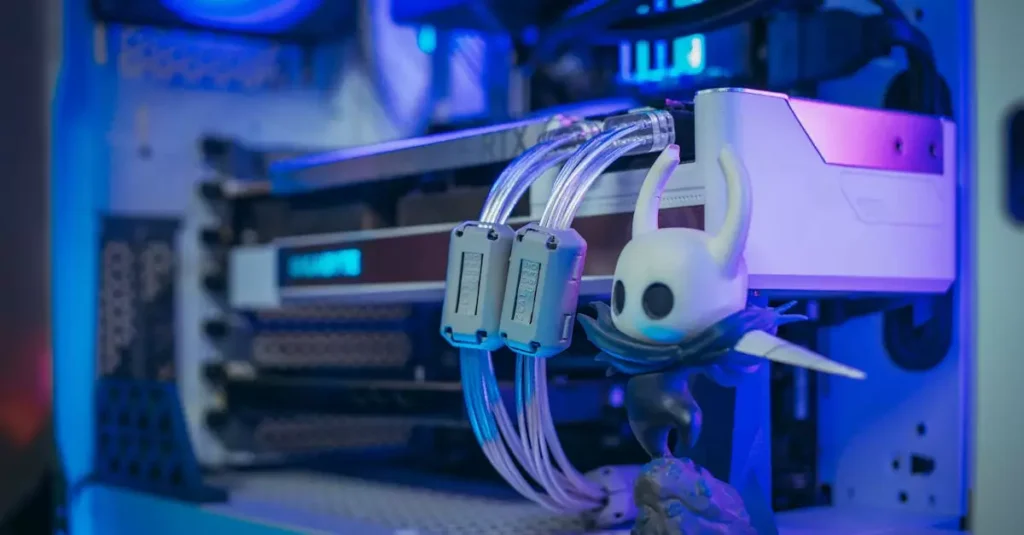
Final Fantasy has long been a beloved franchise in the gaming world, captivating players with its rich storytelling, immersive worlds, and unforgettable characters. For PC gamers, experiencing Final Fantasy titles means diving into beautifully remastered visuals and enhanced gameplay that take full advantage of modern hardware. Whether you’re a newcomer or a seasoned fan, this ultimate guide to playing Final Fantasy on PC in 2026 will walk you through everything from system requirements and installation to performance optimization and popular mods. Get ready to embark on your epic journey with the best settings and tips designed specifically for the PC platform.

Introduction to Final Fantasy on PC
The Final Fantasy series has evolved significantly since its inception, with many titles now available on PC, offering players flexibility and enhanced visuals. Playing Final Fantasy on PC allows access to remastered editions and newer releases like Final Fantasy XV and the highly anticipated Final Fantasy VII Remake. The PC platform supports a wide range of hardware configurations, meaning you can tailor your experience to your setup. Additionally, the PC community provides mods and enhancements that can enrich gameplay and graphics, making the experience more personalized and visually stunning.
Understanding how to play Final Fantasy on PC involves knowing the system requirements, installation procedures, and how to optimize your setup for smooth gameplay. The availability of titles on platforms like Steam and the official Square Enix store ensures legal and safe downloads. Whether you prefer classic turn-based battles or the action-packed combat of newer titles, Final Fantasy on PC delivers an impressive experience that can be fine-tuned with the right knowledge.
Minimum and Recommended System Requirements
Before diving into the world of Final Fantasy on PC, it’s crucial to check if your system meets the game’s requirements. These vary depending on the specific title, but here’s a general overview focusing on popular releases like Final Fantasy XV and the Final Fantasy VII Remake.
- Minimum Requirements: Typically include a quad-core processor (Intel Core i5 or AMD equivalent), 8GB RAM, and a dedicated GPU such as NVIDIA GTX 760 or AMD Radeon R9 280. This setup allows you to run the game at lower settings with acceptable frame rates.
- Recommended Requirements: For a smoother experience, a more powerful CPU like an Intel Core i7 or AMD Ryzen 5, 16GB RAM, and a GPU such as NVIDIA GTX 1060 or AMD RX 580 are advised. These specs enable high to ultra settings, delivering crisp visuals and stable performance.
For the Final Fantasy 7 Remake PC requirements, expect a bit higher specs due to its modern graphics engine. A fast processor, at least 16GB RAM, and a GPU equivalent to NVIDIA RTX 2060 or better are recommended. Always check the latest official documentation on Square Enix Support to get the most accurate details.
Meeting or exceeding these system requirements ensures better gameplay, fewer crashes, and higher frame rates. Keep in mind that drivers and Windows updates also influence performance, so maintaining your PC’s software is equally important.
How to Download and Install Final Fantasy on PC
Downloading and installing Final Fantasy on your PC is straightforward, especially with popular distribution platforms like Steam and the Square Enix Store. Here’s a step-by-step guide to get you started:
- Step 1: Visit the official Steam page or Square Enix Store to purchase your desired Final Fantasy title. For example, Final Fantasy XV Windows Edition is available on Steam.
- Step 2: After purchase, download the Steam client or use the Square Enix launcher to manage your games.
- Step 3: Install the game by following the on-screen prompts. Ensure you have sufficient disk space as some Final Fantasy games can be over 50GB.
- Step 4: Update your graphics drivers and Windows OS to avoid compatibility issues.
Once installed, you can launch the game and adjust your settings according to your hardware. For older Final Fantasy titles, you may find remastered versions with enhanced graphics available, which follow similar download and installation steps. Taking advantage of official updates and patches is essential for the best experience.
Optimizing Performance for Final Fantasy on PC
Optimizing performance is key to enjoying Final Fantasy on PC, especially if you want to avoid lag, stuttering, or crashes. Here are some proven tips to help you get the best results:
- Update Drivers: Keep your GPU drivers up to date from NVIDIA or AMD’s official websites to ensure compatibility and performance boosts.
- Adjust In-Game Settings: Lowering shadows, reflections, and ambient occlusion can significantly improve frame rates without sacrificing too much visual quality.
- Close Background Applications: Running fewer programs while gaming frees up system resources.
- Use Performance Mode: Many PCs and laptops offer power management settings; select high-performance mode to maximize CPU and GPU output.
- Check for Overheating: Monitor your hardware temperatures and clean dust from fans to prevent thermal throttling.
For players with mid-range systems, tweaking settings like resolution scaling and texture quality can help maintain a balance between visuals and smooth gameplay. Utilizing tools like MSI Afterburner can provide real-time monitoring and overclocking options if you’re experienced. Remember, performance optimization varies by game version, so consult community forums for title-specific advice.
Best Graphics and Gameplay Settings
Choosing the best settings for Final Fantasy on PC depends heavily on your hardware and personal preferences. However, some general recommendations can enhance your experience:
- Resolution: Aim for native resolution of your monitor for sharp visuals. If performance is an issue, try 1080p even on higher-end monitors.
- Texture Quality: Set to high or ultra if you have at least 8GB VRAM.
- Shadow Quality: Medium or high provides good balance, but ultra shadows can be demanding.
- Anti-Aliasing: Use TAA or FXAA for smoother edges without a heavy performance hit.
- V-Sync: Enable to prevent screen tearing, but disable if input lag is noticeable.
Gameplay settings such as camera sensitivity, control mapping, and HUD customization can also be tailored to your liking. For turn-based titles, frame rate isn’t as critical, but for action-oriented entries like Final Fantasy XV, higher frame rates improve responsiveness and immersion. Experiment with settings to find the perfect balance between visual fidelity and smooth performance.
Popular Mods and Enhancements for PC
The modding community for Final Fantasy on PC is vibrant and offers plenty of ways to enhance your gaming experience. Mods can improve graphics, add new features, or even change gameplay mechanics. Here are some popular types of mods and enhancements:
- Graphics Enhancements: Texture packs, lighting improvements, and widescreen fixes that make the game look more modern.
- Gameplay Tweaks: Mods that adjust difficulty, add new quests, or improve UI elements.
- Performance Mods: Optimizations that reduce load times and fix bugs.
- Character and Costume Mods: Custom skins and outfits for your favorite characters.
For example, Final Fantasy XV has mods that boost visual effects and improve character models, while older titles benefit from remastered texture packs. Always download mods from reputable sources and back up your game files before installation to avoid issues. Communities like Nexus Mods provide a reliable platform for discovering and managing Final Fantasy PC mods.
Troubleshooting Common Issues
While Final Fantasy games are generally stable on PC, some common issues may arise. Here’s how to troubleshoot them effectively:
- Game Crashes: Verify game files via Steam or the launcher, update drivers, and ensure your OS is current.
- Performance Drops: Lower graphics settings, close background apps, and check for overheating.
- Installation Problems: Ensure sufficient disk space and disable antivirus temporarily during installation.
- Controller Issues: Configure input settings within the game or use third-party tools like DS4Windows for better compatibility.
If problems persist, consult the official Square Enix Support page or community forums where many users share solutions. Regularly updating your game and PC software often resolves many bugs and glitches.
Conclusion: Enjoying Final Fantasy on Your PC
Playing Final Fantasy on PC in 2026 offers an incredible blend of nostalgia and cutting-edge technology. With the right hardware, proper installation, and optimized settings, you can experience these iconic games like never before. Whether you’re exploring the expansive world of Final Fantasy XV or diving into the remastered Final Fantasy VII Remake, the PC platform provides flexibility and enhancements that console versions can’t match. Embrace the vibrant modding community to personalize your journey and troubleshoot common issues with confidence using the tips provided. Ultimately, Final Fantasy on PC is about immersing yourself in epic stories and breathtaking adventures, made all the better by a smooth and visually stunning gaming experience.
Frequently Asked Questions
Q: What are the minimum PC requirements for Final Fantasy?
A: Minimum requirements typically include a quad-core CPU, 8GB of RAM, and a dedicated GPU like NVIDIA GTX 760 or AMD Radeon R9 280. These specs allow the game to run at lower settings with acceptable performance. Always check the specific title’s requirements for accuracy.
Q: Can I run Final Fantasy smoothly on a low-end PC?
A: It depends on the title and your hardware. Older Final Fantasy games or remastered versions with lower demands can run on low-end PCs if you reduce graphics settings and resolution. Newer titles like Final Fantasy VII Remake require mid to high-end hardware for smooth gameplay.
Q: Where can I download Final Fantasy for PC legally?
A: The safest and legal sources to download Final Fantasy games are official platforms like Steam and the Square Enix Store. These platforms ensure you get legitimate copies with updates and support.
Q: Are there any recommended mods for Final Fantasy on PC?
A: Yes, popular mods include texture packs, lighting enhancements, and gameplay tweaks available on sites like Nexus Mods. Always download from trusted sources and back up your files before installing mods.
Q: How can I improve performance and reduce lag in Final Fantasy on PC?
A: Update your GPU drivers, lower demanding graphics settings, close unnecessary background applications, and ensure your PC is set to high-performance mode. Monitoring temperatures and cleaning hardware can also prevent throttling that causes lag.

