
Diablo 3 on PC remains one of the most popular action RPGs since its release, captivating millions with its dark fantasy world and intense gameplay. Whether you’re a returning veteran or a newcomer, understanding the nuances of Diablo 3 PC system requirements, gameplay tips, and the latest updates can drastically improve your experience. This ultimate guide for 2026 covers everything from the best builds to optimize your character, to troubleshooting common issues, ensuring you get the most out of your journey through Sanctuary. Dive in and unlock the secrets to mastering Diablo 3 on PC.
Diablo 3 PC System Requirements for Smooth Gameplay
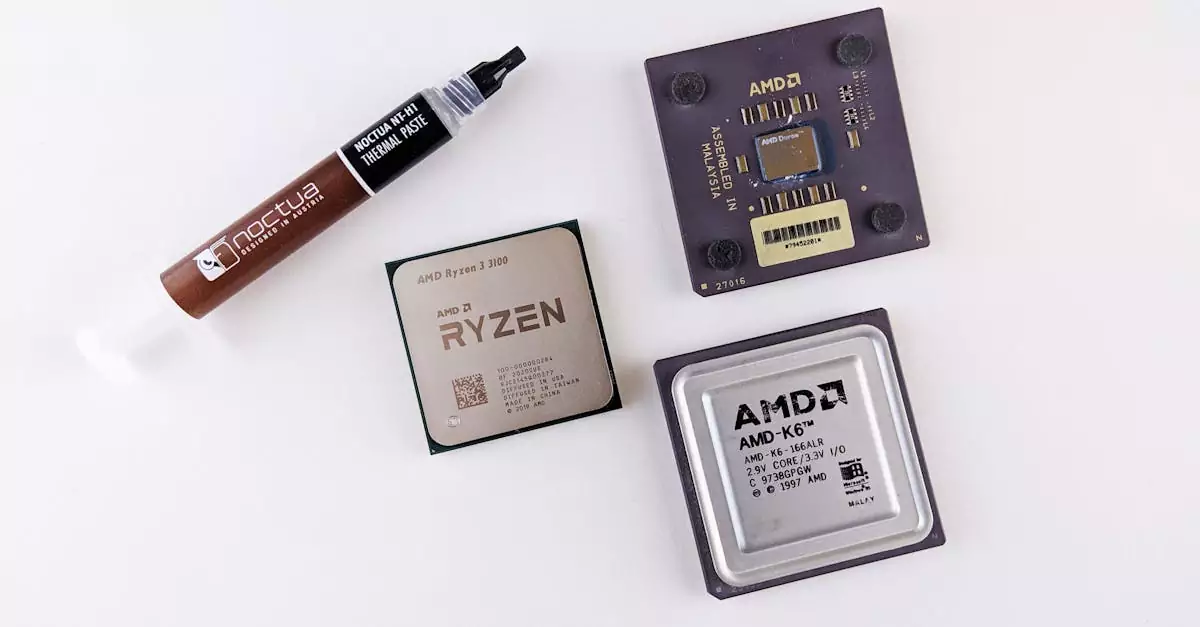
Before jumping into the intense battles of Diablo 3 on PC, it’s crucial to ensure your system meets the necessary requirements for smooth gameplay. Blizzard has designed Diablo 3 to be accessible yet demanding enough to provide stunning visuals and fluid combat mechanics. The minimum system requirements are geared towards enabling the game to run on older hardware, but for an optimized experience, meeting the recommended specifications is highly advised.
The minimum requirements include a dual-core 2.4 GHz processor, 4 GB RAM, and a DirectX 9-compatible video card with at least 256 MB of VRAM. This setup allows basic gameplay at lower settings but may struggle with higher resolutions or intense combat scenes. In contrast, the recommended specs call for a quad-core processor at 3.0 GHz, 8 GB RAM, and a graphics card equivalent to NVIDIA GeForce GTX 660 or AMD Radeon HD 7850, which supports DirectX 11. This setup ensures smooth frame rates, better textures, and improved lighting effects.
Additionally, having an SSD for faster load times and a stable internet connection is beneficial, especially for multiplayer modes. Diablo 3 PC also supports Windows 10 and 11, with regular updates enhancing compatibility and performance. Ensuring your drivers and Windows updates are current is another critical step to avoid crashes or lag.
- Minimum: Dual-core 2.4 GHz CPU, 4 GB RAM, DirectX 9 GPU with 256 MB VRAM
- Recommended: Quad-core 3.0 GHz CPU, 8 GB RAM, DirectX 11 GPU (GTX 660 or above)
- Operating System: Windows 10/11
- Storage: SSD preferred for faster load times
- Internet: Stable connection for multiplayer
Meeting or exceeding these requirements guarantees a more immersive and responsive Diablo 3 PC gameplay experience, allowing you to focus on mastering your builds and strategies without hardware limitations.
Top Character Builds for Diablo 3 on PC
One of the most exciting aspects of Diablo 3 on PC is the diversity of character builds available, each offering unique playstyles and strategies. Whether you prefer melee combat, ranged attacks, or summoning minions, the right build can significantly enhance your effectiveness in both solo and multiplayer modes. In 2026, some of the best Diablo 3 builds for PC focus on maximizing damage output while maintaining survivability.
For example, the Barbarian’s Whirlwind build remains a fan favorite for its ability to clear large groups of enemies quickly. By prioritizing skills like Whirlwind and Battle Rage, and equipping gear that boosts critical hit chance and fury generation, players can maintain sustained damage. Meanwhile, the Demon Hunter excels with the Multishot build, utilizing rapid-fire ranged attacks combined with crowd control abilities to stay safe while dishing out damage from afar.
For those who enjoy spellcasting, the Wizard’s Archon build continues to dominate, transforming the character into a powerful energy form that deals massive area damage. The Necromancer’s Bone Spear build is another top choice, combining high burst damage with pet summons for added defense. Experimenting with these builds and adapting them to your playstyle can make your Diablo 3 PC gameplay more engaging and rewarding.
- Barbarian Whirlwind: High AoE damage, great for crowd control
- Demon Hunter Multishot: Ranged, fast-paced attacks
- Wizard Archon: Powerful spellcasting with transformation
- Necromancer Bone Spear: Burst damage with pet support
To optimize your build, focus on gear synergy, skill rune choices, and legendary items that boost your core abilities. Staying updated with patch notes is also essential, as Blizzard frequently adjusts skill balances and item stats to keep the meta fresh.
How to Optimize Diablo 3 Performance on Your PC
Optimizing Diablo 3 on PC is key to achieving smooth frame rates and reducing input lag, which can make the difference between victory and defeat. Even if your system meets the recommended specs, tweaking settings can further enhance your gameplay experience. Start by adjusting in-game graphical settings such as texture quality, shadow detail, and anti-aliasing to find a balance between visuals and performance.
Updating your graphics drivers regularly ensures compatibility with the latest game patches and can fix performance bottlenecks. Closing unnecessary background applications frees up CPU and RAM resources, allowing Diablo 3 to run more efficiently. Additionally, setting the game’s process priority to high via the Task Manager can improve responsiveness.
For users experiencing stuttering or frame drops, enabling V-Sync or using frame rate caps can stabilize gameplay. Some players benefit from disabling fullscreen optimizations in Windows settings. Utilizing tools like NVIDIA GeForce Experience or AMD Radeon Software allows for automatic optimization tailored to your hardware.
- Adjust in-game graphics for balance
- Keep graphics drivers updated
- Close background apps before playing
- Set game priority to high
- Use V-Sync or frame rate caps if needed
- Disable fullscreen optimizations on Windows
Following these steps can minimize lag and crashes, providing a seamless Diablo 3 PC experience. Regularly checking Blizzard’s official support pages ensures you stay informed about any new performance fixes or optimization tips.
Latest Diablo 3 Updates and Patch Notes for PC
Blizzard continues to support Diablo 3 on PC with regular updates, enhancing gameplay balance, fixing bugs, and introducing new content. The Diablo 3 PC update 2026 brings several exciting changes, including revamped seasonal themes, balance tweaks to popular builds, and quality-of-life improvements such as faster load times and improved matchmaking.
Patch notes highlight nerfs to some overpowered skills and buffs to underused ones, aiming to diversify viable strategies. Additionally, new legendary items and set bonuses have been added to refresh the endgame experience. Players can expect smoother multiplayer sessions thanks to server optimizations and reduced latency.
Blizzard also focuses on accessibility, tweaking controller support and UI elements to cater to a broader player base. Seasonal events continue to engage the community with unique rewards and challenges, making every new season a fresh adventure. Staying updated with official patch notes on the Diablo 3 website is crucial for adapting your gameplay and builds accordingly.
Overall, the 2026 updates demonstrate Blizzard’s commitment to maintaining Diablo 3’s relevance in the competitive ARPG landscape, ensuring both new and veteran players have a rewarding experience.
Multiplayer and Co-op Features on PC
Diablo 3’s multiplayer on PC is a core component of its enduring appeal, allowing players to team up and tackle the darkest dungeons together. The game supports up to four-player cooperative play, either through public matchmaking or private friend invites. This cooperative mode enhances the experience by encouraging teamwork, strategy, and role specialization.
Multiplayer sessions feature shared loot and experience, making it easier to progress and obtain powerful gear. Players can join seasonal clans or communities to find like-minded adventurers and participate in group challenges or leaderboards. The game’s chat and party system facilitate communication, crucial for coordinating attacks and strategies.
While Diablo 3 PC multiplayer is robust, it currently does not support cross-platform play with consoles. However, Blizzard ensures stable servers and regular updates to minimize connectivity issues. Players should ensure their internet connection is stable and ports are properly configured for the best multiplayer experience.
- Supports up to 4-player co-op
- Public matchmaking and private invites
- Shared loot and experience
- Seasonal clans and community events
- No cross-platform multiplayer with consoles
Engaging in multiplayer not only makes Diablo 3 more fun but also opens up opportunities to learn new builds and tactics from other players, enhancing your overall gameplay skills.
Controller Support and Settings for PC Players
Diablo 3 on PC offers full controller support, providing an alternative to traditional keyboard and mouse controls. This feature is especially popular among players transitioning from console versions or those who prefer a more relaxed gaming setup. The game supports most common controllers, including Xbox and PlayStation gamepads, with automatic configuration upon connection.
Players can customize controller settings within the game’s options menu, adjusting sensitivity, button mappings, and vibration feedback to suit their preferences. The controller interface is designed to be intuitive, with radial menus and quick access to skills, making gameplay smooth and responsive.
Using a controller can change your Diablo 3 PC gameplay experience, especially in terms of movement and targeting. Some players find it easier to dodge attacks and execute combos, while others prefer the precision of a mouse for skill aiming. It’s worth experimenting with both input methods to see which fits your style best.
- Supports Xbox, PlayStation, and other common controllers
- Customizable button mapping and sensitivity
- Intuitive radial menus for skill selection
- Vibration feedback options
- Switch between controller and keyboard/mouse seamlessly
For the best controller experience, ensure your drivers are up to date and consider using wired connections to reduce input lag during intense battles.
Troubleshooting Common Diablo 3 PC Issues
Despite its polished design, Diablo 3 on PC can sometimes encounter technical issues such as crashes, lag, or connectivity problems. Addressing these quickly helps maintain an enjoyable gaming session. Common fixes include verifying game files through the Battle.net launcher to repair corrupted data, which often resolves unexpected crashes.
Performance issues like lag or stuttering can often be mitigated by updating your graphics drivers and ensuring no heavy background processes are running. Adjusting in-game settings to lower graphical intensity can also help if your PC struggles with higher settings. For network-related problems, resetting your router or switching to a wired connection can improve stability.
Another frequent concern is the failure of the game to recognize controllers. In such cases, reconnecting the controller, restarting the game, or reinstalling controller drivers usually resolves the issue. For persistent bugs, consulting Blizzard’s official support at their help page can provide tailored solutions.
- Verify game files via Battle.net launcher
- Update graphics and controller drivers
- Lower in-game graphics settings if lagging
- Use wired internet connection for stability
- Restart game and PC to resolve minor glitches
By following these troubleshooting steps, most Diablo 3 PC performance fix scenarios can be quickly addressed, ensuring your adventure in Sanctuary continues uninterrupted.
Tips for New Players Starting Diablo 3 on PC
Starting Diablo 3 on PC can be overwhelming due to its deep mechanics and vast content. New players should begin by choosing a class that suits their preferred playstyle—whether it’s the durable Crusader, the agile Monk, or the versatile Witch Doctor. Experimenting with different classes in early gameplay helps find what feels most enjoyable.
Focus on completing the campaign to unlock all game features and gain experience with combat and skills. Don’t rush into higher difficulties before understanding your build and gear, as Diablo 3’s challenge scales significantly. Utilizing the in-game tutorial and visiting community forums can provide valuable insights and tips.
Inventory management is crucial; prioritize upgrading your gear and salvaging unwanted items to craft better equipment. Joining multiplayer games can speed up leveling and provide social support. Lastly, keep an eye on seasonal events and rewards, which offer fresh content and incentives for progression.
- Choose a class that matches your playstyle
- Complete the campaign to unlock features
- Focus on gear upgrades and crafting
- Join multiplayer for faster progression
- Participate in seasonal events for rewards
With patience and exploration, new players can quickly adapt to Diablo 3 PC gameplay and enjoy one of the most rewarding ARPG experiences available.
Conclusion
Diablo 3 on PC continues to be a compelling and dynamic action RPG, offering deep customization, intense multiplayer action, and regular updates that keep the game fresh. By understanding the system requirements and optimizing your setup, you can enjoy smooth gameplay and immersive visuals. Exploring top character builds tailored to your style enhances combat effectiveness, while staying informed about the latest patches ensures you’re always prepared for changes. The multiplayer and controller support features add layers of flexibility, making Diablo 3 accessible to a broad audience. For new players, taking the time to learn the mechanics and engage with the community can turn the journey through Sanctuary into an unforgettable adventure. With these tips and insights, you’re well-equipped to dive into Diablo 3 on PC and experience all it has to offer in 2026 and beyond.
Frequently Asked Questions
Q: What are the minimum and recommended system requirements for Diablo 3 on PC?
A: The minimum requirements include a dual-core 2.4 GHz processor, 4 GB RAM, and a DirectX 9-compatible GPU with 256 MB VRAM. Recommended specs are a quad-core 3.0 GHz CPU, 8 GB RAM, and a DirectX 11 GPU like the NVIDIA GTX 660. These ensure smoother gameplay and better graphics.
Q: Can I play Diablo 3 on a low-end PC?
A: Yes, but you may need to lower in-game graphics settings and accept longer load times. Meeting minimum requirements is essential, and optimizing your PC by closing background apps can help improve performance.
Q: How do I fix lag and performance issues in Diablo 3 on PC?
A: Update your graphics drivers, lower in-game settings, close background applications, and use a wired internet connection. Verifying game files through Battle.net can also resolve performance problems.
Q: Are there any official mods or addons supported for Diablo 3 on PC?
A: Blizzard does not officially support mods or addons for Diablo 3 on PC to maintain game balance and security. Players should rely on official updates and community guides.
Q: Is Diablo 3 multiplayer cross-platform between PC and consoles?
A: No, Diablo 3 multiplayer on PC is separate from console versions. Cross-platform play is not supported, so players must play within their respective platforms.
Q: What controller options are available for Diablo 3 on PC?
A: Diablo 3 on PC supports most popular controllers, including Xbox and PlayStation gamepads. The game offers customizable button mapping and sensitivity settings to tailor the experience.

